


Open the Adjust dashboard of almost any iOS app running Meta ads and you will find the same picture: a large block of installs sitting under "Organic" or "Unattributed", a Meta number that does not match, and a SKAN report that arrives days later with half the events missing. It is not a bug in your setup. It is how Meta app campaigns work on iOS since App Tracking Transparency.
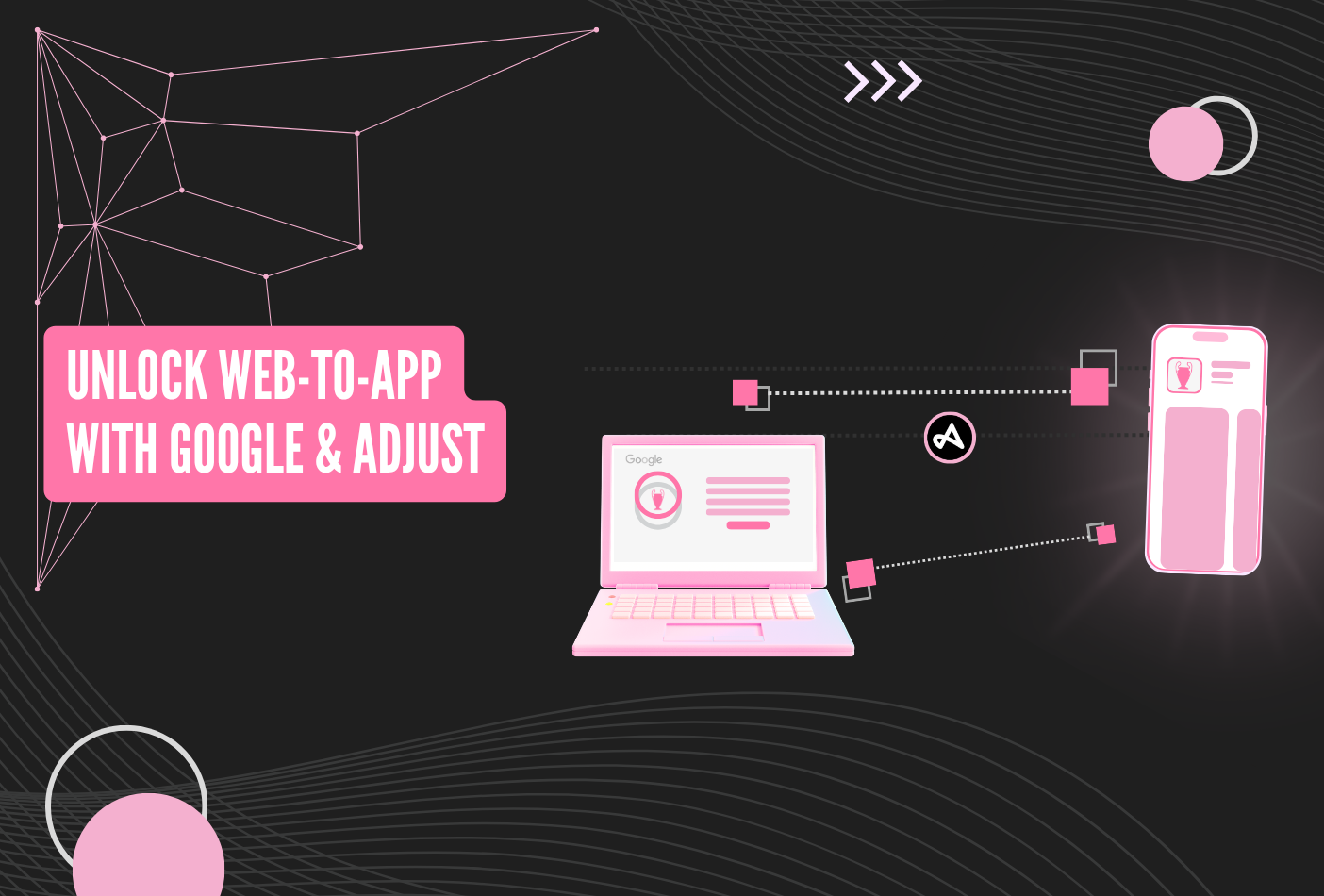
This guide explains why that happens and how we fix it with a web-to-app campaign tracked by Adjust. It is the Meta counterpart of the Google Search web-to-app setup we described earlier, and it is part of the Scalebay growth framework for paid user acquisition. Each step has a screenshot so you can reproduce it in your own accounts.
Why your iOS installs from Meta are unattributed
When you run an App campaign on Meta for iOS, the whole measurement chain depends on Apple. If the user does not accept the ATT prompt (most do not), Meta cannot see the device identifier, so the only signal it gets back is a SKAdNetwork postback: aggregated, delayed by 24 to 72 hours or more, capped in how much it can say, and completely anonymous. Your MMP sees an install it cannot match to any click, and files it as organic or unattributed.
On top of that, Meta's own reporting uses modelled conversions and view-through attribution, so the number in Ads Manager is usually higher than what Adjust can prove. You end up with three numbers for the same campaign and no user-level data behind any of them: no cohorts, no LTV by campaign, no way to know which creative brought the subscriber.
What a web-to-app campaign changes
Instead of asking Meta to send people straight to the App Store through the app install flow, we run the campaign as a web campaign. The ad's link is an Adjust click URL. When the user taps, Adjust registers the click on the web, then redirects to the store. Once the app opens, Adjust matches the install to that click and sends every in-app event back to Meta through a pixel, not through the app's SDK integration.
That single change has four consequences we care about:
- User-level data comes back. For everyone who clicks the link and accepts the cookies, you get deterministic, user-level attribution in Adjust: campaign, ad set, creative, and the full event history of that user.
- Events arrive in real time. No SKAN delay, no conversion value cap. Registration, trial, subscription and purchase reach Meta as they happen, so the algorithm can optimise on them the same day.
- No over-attribution. You are not relying on Meta's modelled or view-through numbers. What Adjust posts back is what Meta counts.
- Deep links work on iOS. Because the entry point is a web link, you can route the user to a specific screen after install, which is not something the standard iOS app campaign flow lets you do reliably.
There is one more benefit we have seen on our own accounts: because the campaign runs as a web campaign with a pixel rather than an app promotion, it is often a way around the advertising restrictions Meta applies to religious and financial products in the app install objective. We have used this setup for faith apps and fintech clients precisely for that reason.
What you need before you start
- An Adjust account with your iOS app tracked and the key events (registration, trial, subscription, purchase) defined.
- Admin access to the Meta Business Manager that owns the ad account, and a verified domain.
- A decision on the one event you want Meta to optimise for.
Step 1: create a new pixel in Meta
In Events Manager, create a new pixel dedicated to this setup. Name it clearly, for example web2app – [app name] pixel, so nobody confuses it with your website pixel later. This pixel will only ever receive app events sent by Adjust; keep it separate from any pixel installed on your site.

[Screenshot: Events Manager, new pixel named web2app – app name pixel]
Step 2: add the "Facebook Web" partner in Adjust
In the Adjust dashboard, open the partner menu for your app and add Facebook Web. Not "Facebook" (that is the SDK/app campaign integration). You will need the pixel ID from step 1 and an access token generated from Events Manager. Once saved, Adjust gives you a click URL that already carries the Meta macros and appends the fbclid on redirect.
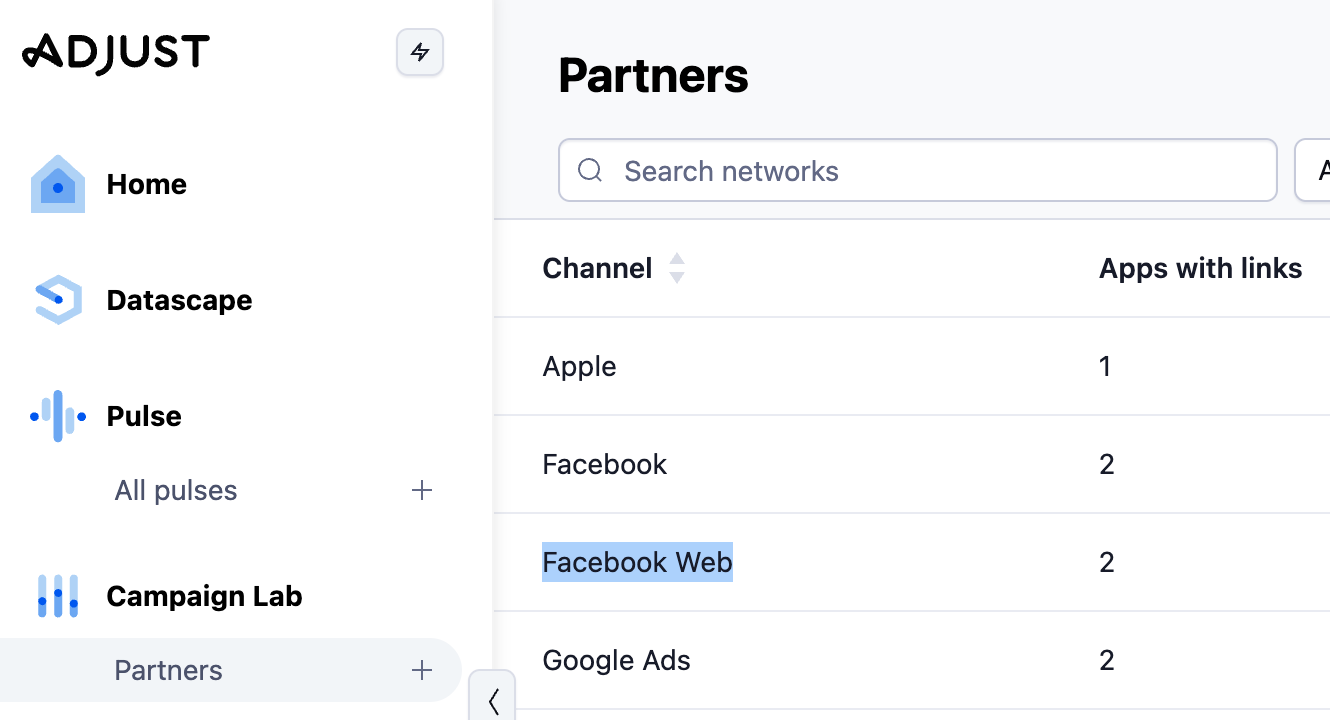
[Screenshot: Adjust partner menu with Facebook Web added, pixel ID and token fields]
Step 3: map the events you want to send to Meta
Still in the Facebook Web partner settings, map your Adjust events to Meta standard events. Adjust sends installs by default; anything else has to be mapped explicitly or it will not be shared. Use standard events where possible (CompleteRegistration, StartTrial, Subscribe, Purchase) so Meta can optimise on them, and pass revenue where you have it.
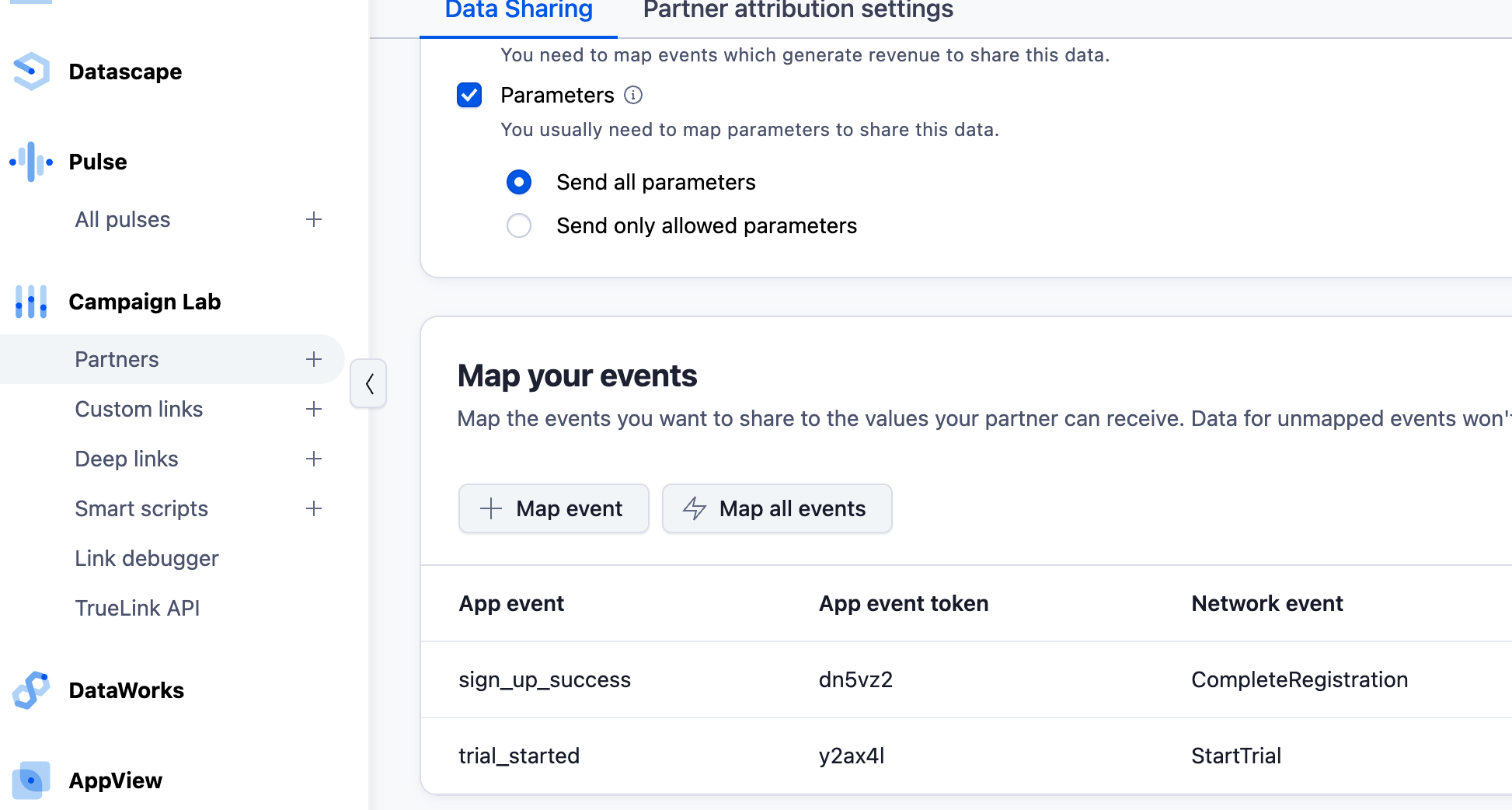
[Screenshot: event mapping in the Facebook Web partner settings]
Step 4: copy the Adjust URL
Copy the click URL generated by the Facebook Web partner. This is the link you will put in the ad. Do not use your regular Adjust tracker or the store URL directly; the Facebook Web link is what carries the click ID Meta needs to match the event back to the ad.
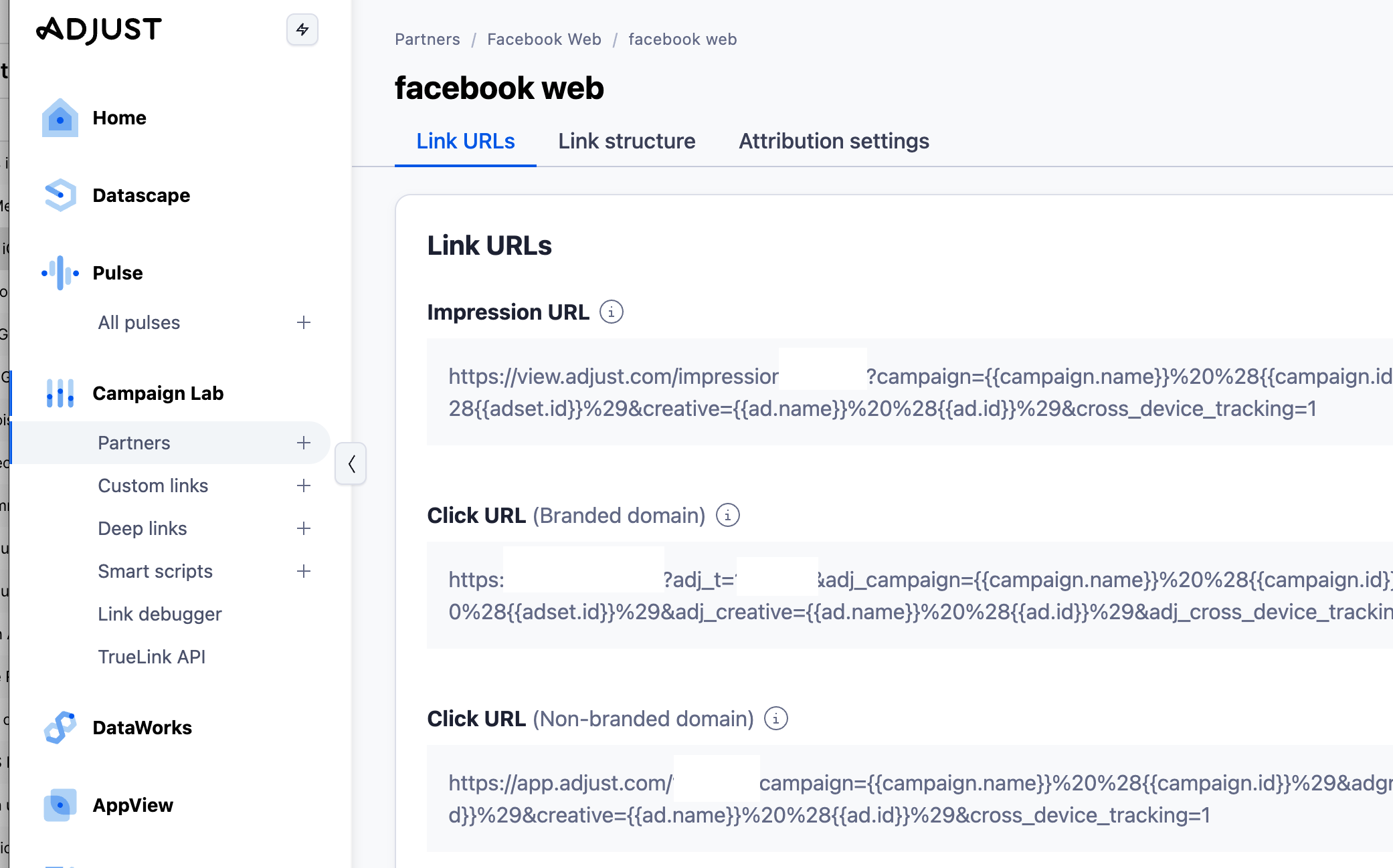
[Screenshot: the Facebook Web click URL in Adjust]
Step 5: launch a Meta campaign with the Sales or Leads objective
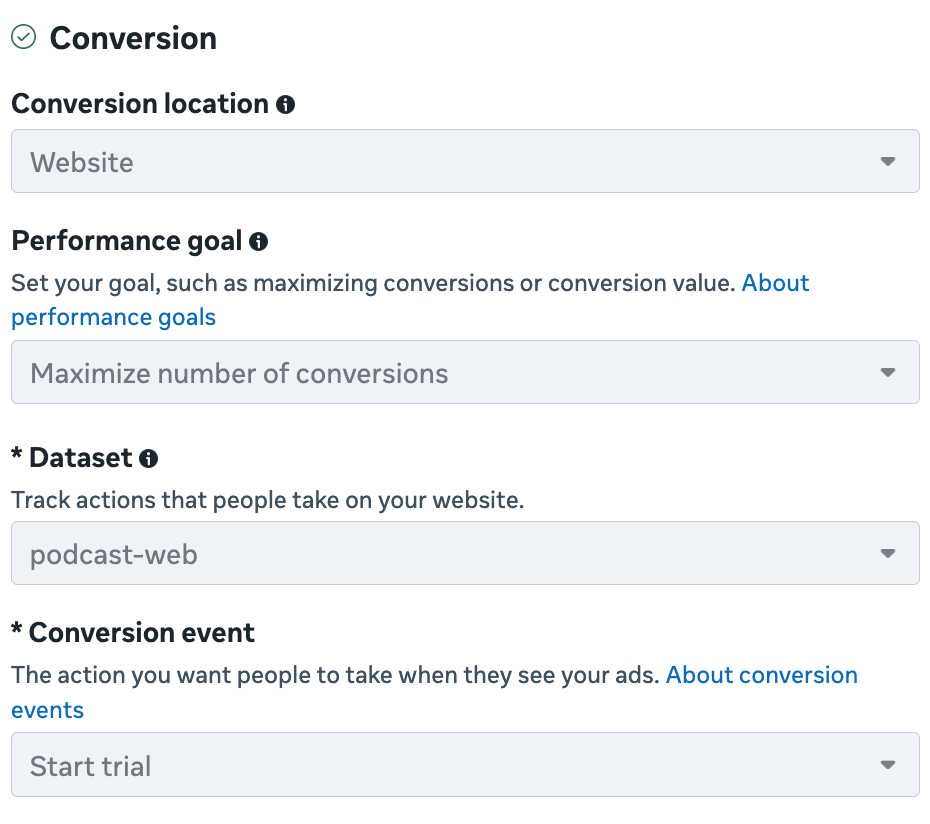
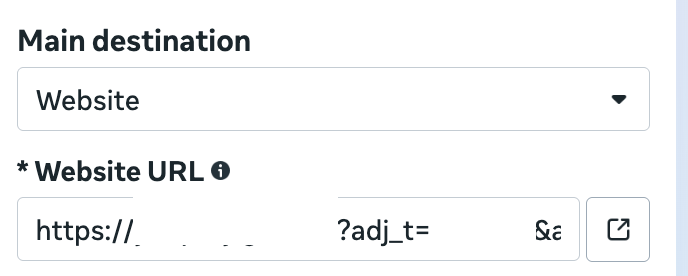
In Ads Manager, create a new campaign with the Sales or Leads objective, not App promotion. At ad set level choose Website as the conversion location, select the web2app pixel from step 1, and pick your conversion event. In this setup an install shows up as a Lead, so if you want to optimise on installs, that is the event to select. Paste the Adjust URL from step 4 as the destination URL of your ads.
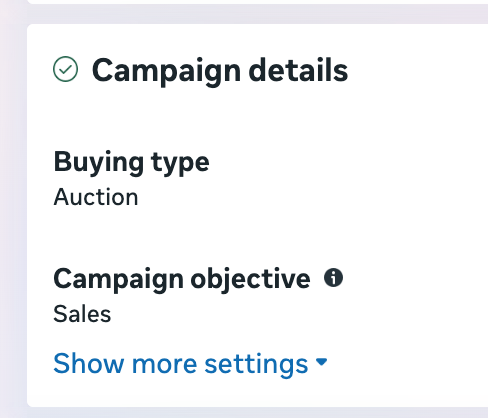
[Screenshot: campaign creation with Sales objective and the web2app pixel selected]
Step 6: optimise like a normal web campaign
From here on, treat it as any web conversion campaign. Optimise toward your real event (trial, subscription, purchase) as soon as you have enough volume, read the results in Adjust in real time, and use the user-level data to build cohorts and LTV by campaign and creative. Everything you were missing on iOS app campaigns is now in the dashboard.
Reading the results
Judge the campaign in Adjust first. Meta will show the events Adjust posted back, which is what the bidding uses, but Adjust holds the full user journey and the revenue. If the two disagree, Adjust is the source of truth. This is the kind of reconciliation we cover in our data and KPI work.
Frequently asked questions
Why is user-level data available here but not in an app campaign?
Because attribution starts on the web. The user clicks a link, Adjust records the click with the Meta click ID, and when the app opens Adjust matches the install to that click. There is no ATT prompt in that chain. Users who click and accept cookies are attributed deterministically, at user level, and their in-app events are sent to Meta by Adjust rather than by the app itself.
Do the events really arrive in real time?
Yes. SKAN postbacks come with a delay of one to three days and a capped conversion value. Here, Adjust forwards each event to the pixel as it happens, so Meta's algorithm sees a subscription within minutes, not days, and you can react to a bad campaign the same day.
Why does an install show up as a Lead?
Because the campaign runs under the Sales or Leads objective and Meta expects web events. Adjust maps the install to the Lead event by default. It is only a label: you can optimise on it like on any other web conversion, and once volume allows, move the optimisation to a deeper event such as Subscribe or Purchase.
Can I use deep links?
Yes, and that is one of the main reasons to run this setup on iOS. The Adjust link can carry a deep link, so a user who already has the app opens directly on the right screen, and a new user is routed there after install.
Is there a limit on the events I can send?
Meta lets you configure up to eight prioritised web events per verified domain, and only the highest-priority event is kept per user. Map the ones that matter for optimisation and skip the noise. Your domain must be verified in Business settings for this to work.
Does it replace my Meta app campaigns?
Not necessarily. Many of our clients run both: the app campaign for volume, and the web-to-app campaign for measurable, real-time, user-level acquisition on iOS. Compare the cost per real event in Adjust, not the CPI, and shift budget accordingly.
Does it help with restricted categories?
In our experience, yes. Faith and financial apps often hit policy limits in the App promotion objective. Running as a web campaign with a pixel has let us advertise those products where the app objective was blocked or heavily restricted. Always check current Meta policies for your category.
Does this work on Android too?
Yes, the same Adjust link and pixel work for Android. Tracking is less of a problem there, but the real-time events and deep links are the same benefit, so we usually run it on both platforms.
Want us to set it up on your account, or to audit why your iOS installs are landing in "Unattributed"? Talk to us. If you have not yet integrated Meta app events, our guide on Facebook SDK integration for app event tracking is the place to start.
.png)


.png)

%20(1).png)