


If you run an iOS app and you have ever tried to buy installs on Google, you know the drill: you launch an App campaign (formerly UAC), Google takes the wheel, and you get back a pile of installs, a SKAN report that arrives late and half-empty, and very little idea of which keyword or placement actually brought a paying user.
This guide explains the setup we use instead for iOS: a classic Google Search campaign, pointed at the App Store, tracked by Adjust. It is part of the Scalebay growth framework for paid user acquisition, and it is the configuration we roll out on every iOS account where search intent matters. Each step below has a screenshot so you can follow along in your own account.
Why not just use App campaigns?
App campaigns (UAC) are generic by design. You give Google a budget, a few assets and a target CPA, and the algorithm decides where the ad shows (Search, YouTube, Display, Play, Discover), to whom, and on which queries. You get almost no control over keywords, placements or audiences, and very limited visibility on what is actually being bought.
In practice this creates three problems we see on almost every account we audit:
- Organic cannibalisation. App campaigns love brand and near-brand queries because they convert cheaply. A large share of the "installs" they report would have happened anyway through organic search or the store, and you have no keyword report to prove otherwise.
- Messy iOS tracking. On iOS, App campaigns rely on SKAdNetwork. Postbacks arrive with a delay, conversion values are capped, and the data almost never lines up with what your MMP shows. You end up with two truths and no way to reconcile them.
- Misalignment with your real KPI. Because SKAN limits what you can pass back, App campaigns usually end up optimising for installs or a shallow event, not the subscription, registration or purchase you actually care about.
Search campaigns pointed at the App Store solve all three. You pick the keywords, exactly as you would for a web campaign. Attribution runs through Adjust, which sends the conversion back to Google server-to-server, so SKAN is out of the loop. And you bid on the conversion you define, not on whatever the algorithm decides to count.
What you need before you start
- An Adjust account with your iOS app already tracked and your key in-app events (registration, trial, subscription, purchase) defined.
- A Google Ads account with the same login able to link partners in Adjust.
- A clear decision on the one conversion event you want to bid on. Pick the deepest event you get enough volume on, ideally the one you already use to judge web campaigns.
Step 1: add "Google Ads Search" as a partner in Adjust
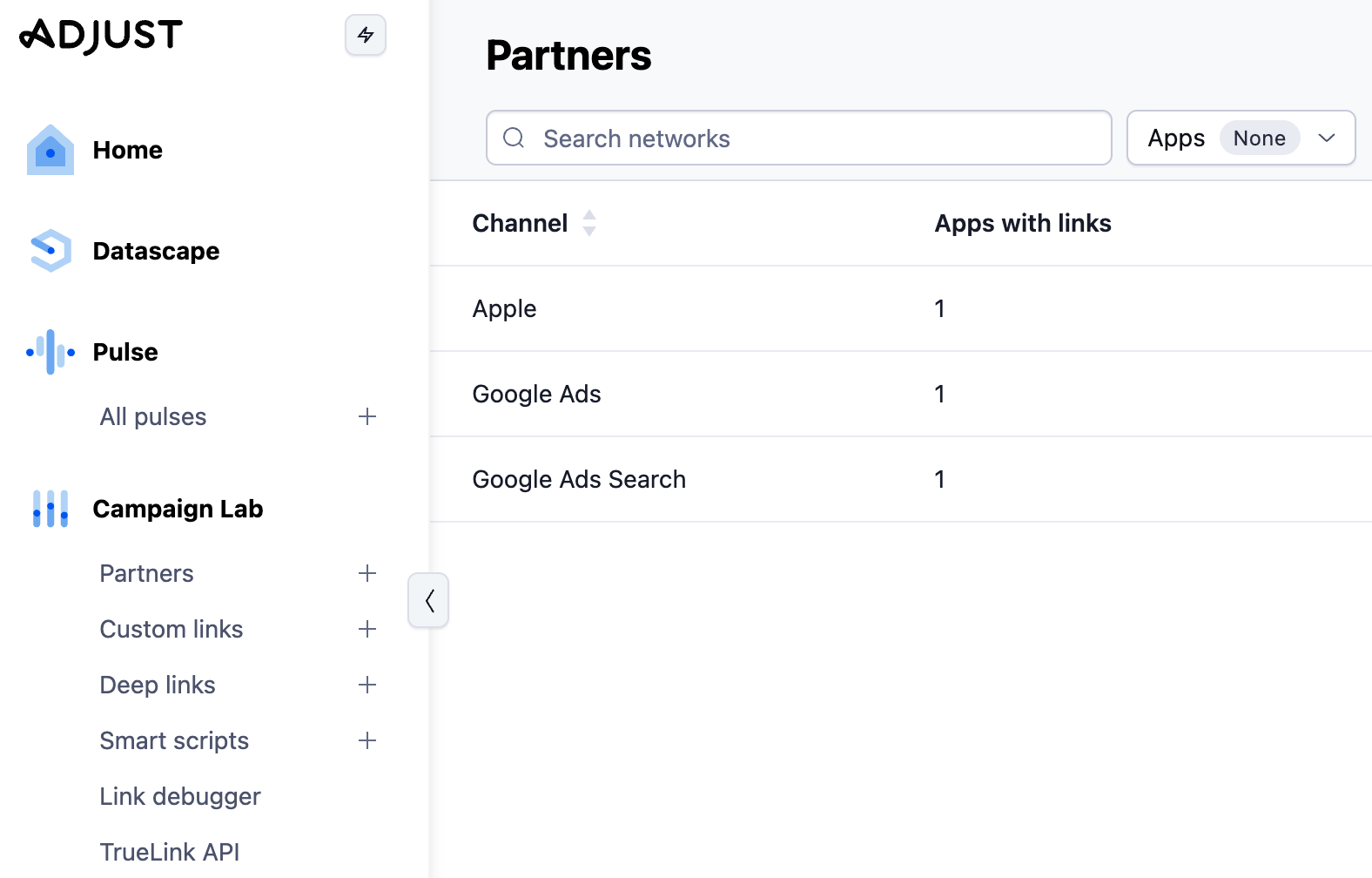
In Adjust, open the partner menu and add Google Ads Search. Not "Google Ads", and not "Google Ads Search (web to app)". Just Google Ads Search.
The naming is confusing and this is where most setups go wrong. "Google Ads" is the integration for App campaigns and it relies on SKAN on iOS. The one you want is the plain Google Ads Search partner, which generates a click URL you will use as a tracking template and sends your in-app events back to Google through a server-to-server postback.
Once the partner is added, enable the postback for the in-app event you chose above and copy the Adjust click URL. You will need it in step 4.
[Screenshot: Adjust partner menu with "Google Ads Search" selected]
Step 2: create a custom conversion goal in Google Ads
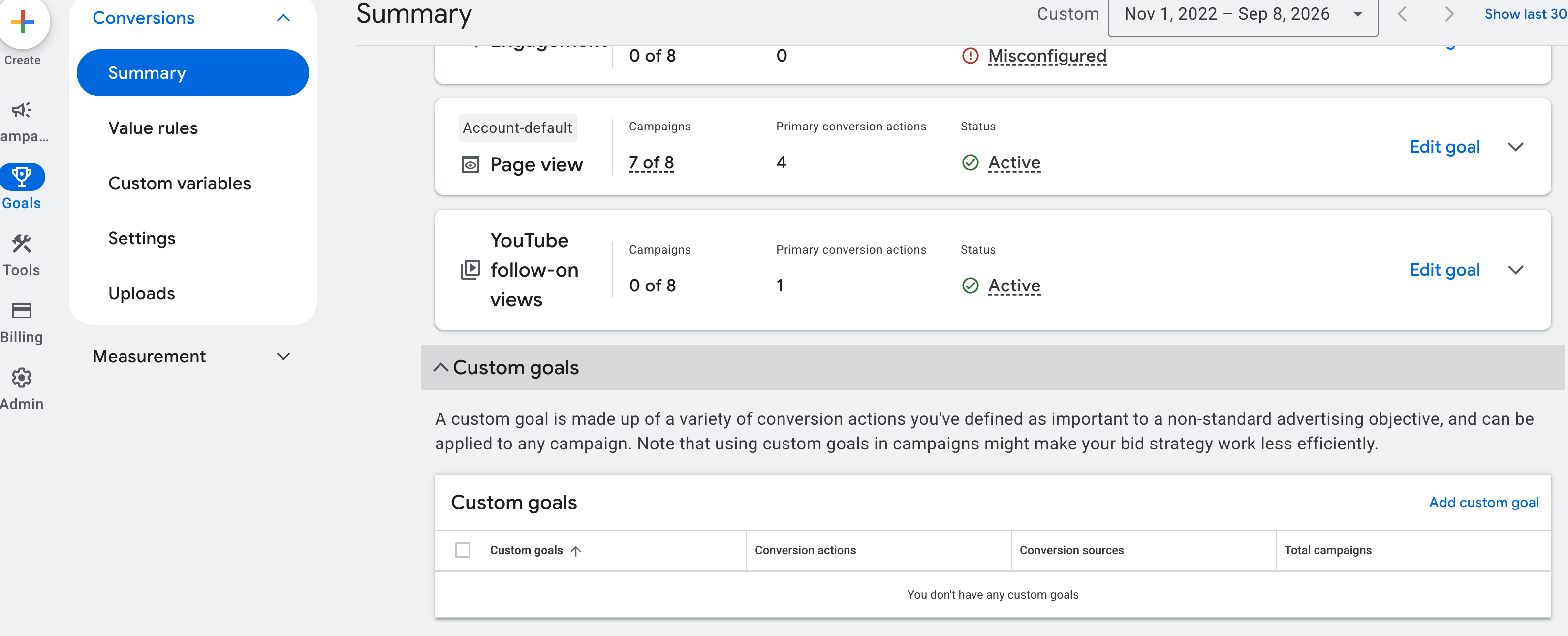
In Google Ads, go to Goals, then Conversions, and create a new custom goal for web to app. Behind it, attach the conversion action that corresponds to the Adjust event you enabled in step 1.
Do not use the default conversion Adjust or Google suggests. You must build a custom goal that contains only your chosen conversion action. If you leave the default in place, the campaign ends up optimising for a mix of installs and events and you are back to the problem you were trying to escape.
[Screenshot: Google Ads custom goal with the Adjust conversion action attached]
Step 3: create a new Search campaign bidding on that goal
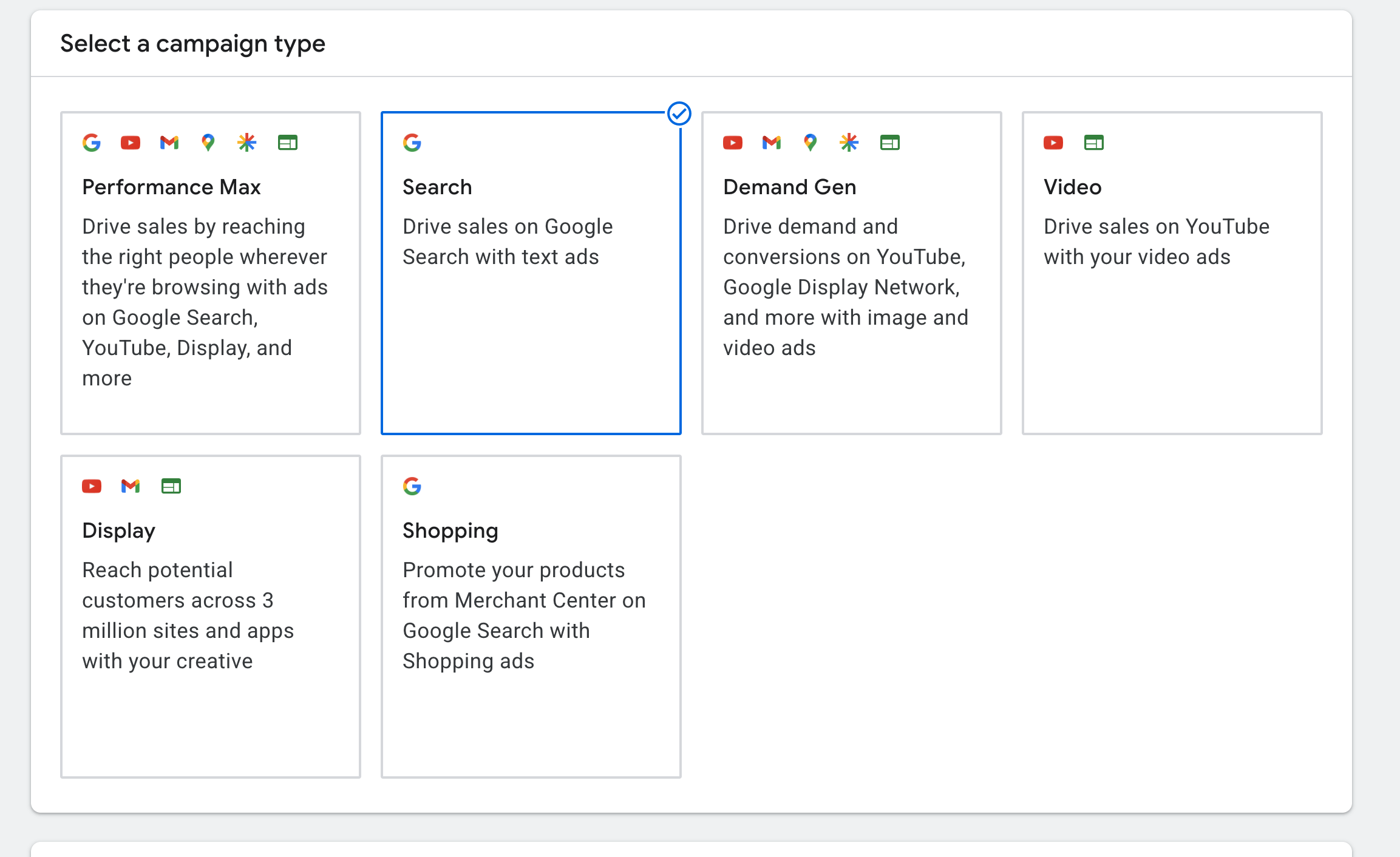
Create a new Search campaign (not an App campaign). In the campaign settings, under goals, select the custom goal you just created as the only conversion goal for this campaign, and choose a conversion-based bidding strategy (Maximise conversions, with or without a target CPA).
Build your ad groups and keywords exactly as you would for a web campaign: exact and phrase match, tight themes, negatives from day one. This is the whole point of the setup, so do not skip the keyword work.
[Screenshot: campaign settings showing the custom goal selected]
Step 4: paste the Adjust click URL in the URL options
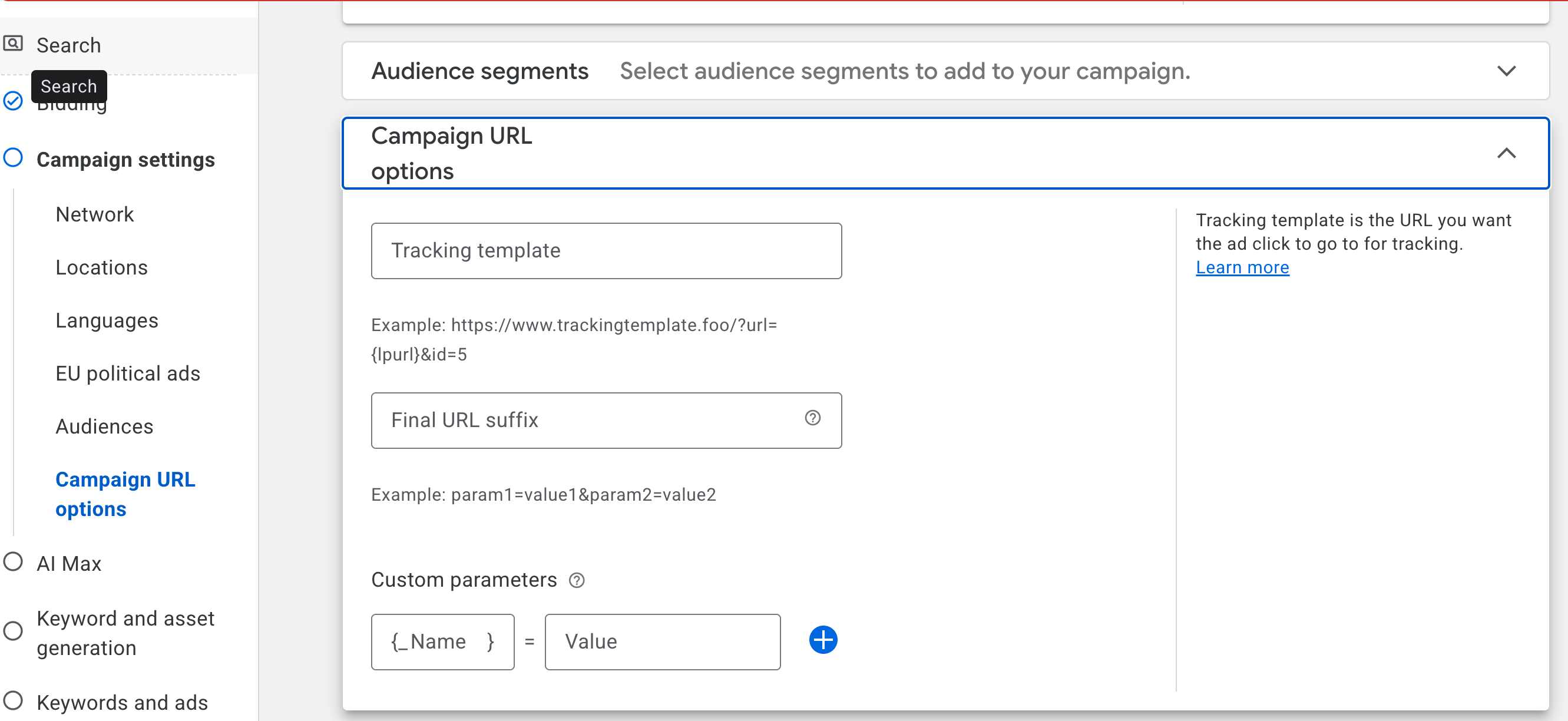
Still in the campaign settings, open additional settings, then Campaign URL options, and paste the Adjust click URL from step 1 in the tracking template field.
This is what lets Adjust see the click, match it to the install and the in-app event, and post the conversion back to Google. Set it at campaign level so every ad inherits it and you do not have to touch it again.
[Screenshot: Campaign URL options with the Adjust tracking template]
Step 5: create the ads with the store URL as final URL
Create your responsive search ads with headlines and descriptions as usual. Two rules:
- In the final URL, put the App Store URL of your app directly (apps.apple.com/...). Do not paste the Adjust URL here again. The tracking template from step 4 already wraps it; using the Adjust link twice breaks the redirect and pollutes attribution.
- Avoid sitelinks and other assets that send the user to web pages. Every click should land on the store listing, otherwise you are paying to send app intent to your website.
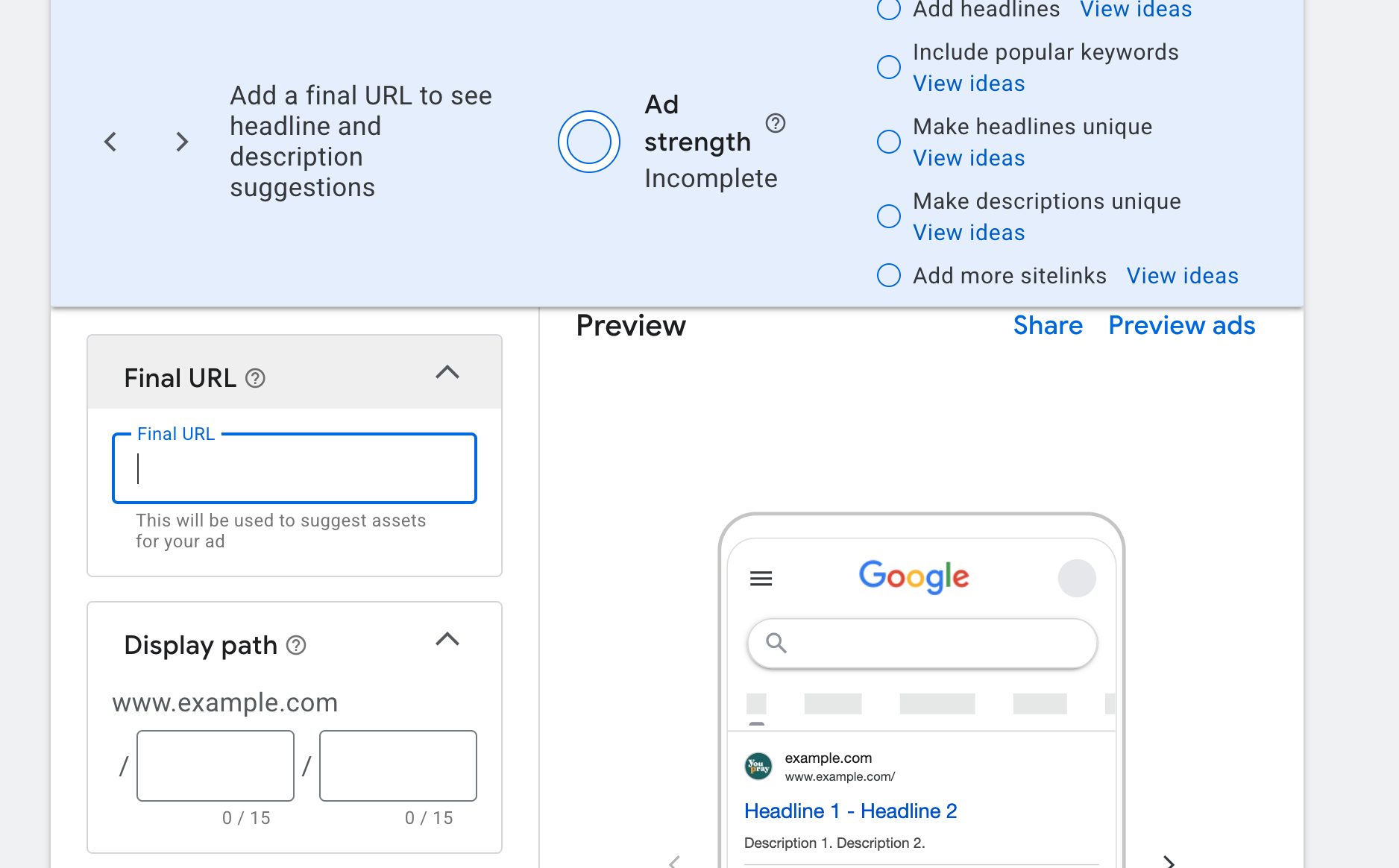
[Screenshot: ad creation with the App Store URL as final URL]
Step 6: cut desktop bids by 100%
Last step, and the one people forget. In the campaign's device settings, apply a -100% bid adjustment on desktop (and on tablets if you do not want iPad traffic). You are buying App Store installs; a desktop click is wasted spend and, worse, a click Adjust cannot attribute.
Once live, check the search terms report after the first week and watch the Adjust dashboard, not the Google one, for your real cost per event.
Reading the results
Judge this campaign in Adjust first and in Google second. Google will show the conversions Adjust posted back, which is what the bidding uses, but Adjust holds the full funnel, the cohort and the revenue. If the two disagree, Adjust is the source of truth. If you want a second pair of eyes on the numbers, this is exactly the kind of reconciliation we do in our data and KPI work.
Frequently asked questions
Why should I set up web to app instead of an App campaign?
Because you get to pick the keywords, the same way you do for a web campaign. You decide which queries are worth paying for, you exclude brand if you want to, and you see a search terms report. App campaigns give you none of that.
Why do I not have tracking issues with this setup?
Because attribution runs through Adjust and the conversion is sent to Google via a server-to-server postback. SKAN is not involved, so there is no delay, no conversion value cap, and no mismatch between Google and your MMP.
Is this campaign bidding against my web campaign?
Yes, unless you reduce bids for web on mobile devices. If you run web Search campaigns on the same keywords, the two will compete in the same auctions. Lower mobile bids on the web campaign, or split the keyword sets, so each campaign owns its device.
Can I run both App campaigns and this?
Yes, but check cannibalisation constantly. Keep the search terms report of the Search campaign next to the App campaign's numbers and watch what happens to organic installs. This matters even more now that AI search optimisation is reshuffling how queries are matched: if the App campaign quietly moves onto your best keywords, your Search campaign's efficiency will drop and you will not see why unless you look.
Does this work on Android too?
Yes, the same setup works with the Play Store URL. Tracking on Android is less of a problem, but keyword control and organic cannibalisation are the same story, so we usually run it on both.
Want us to set it up on your account, or to audit the App campaigns you are already running? Talk to us, or read how we approach attribution and retention and channel, OS and geo optimisation on the blog.
.png)


.png)

%20(1).png)